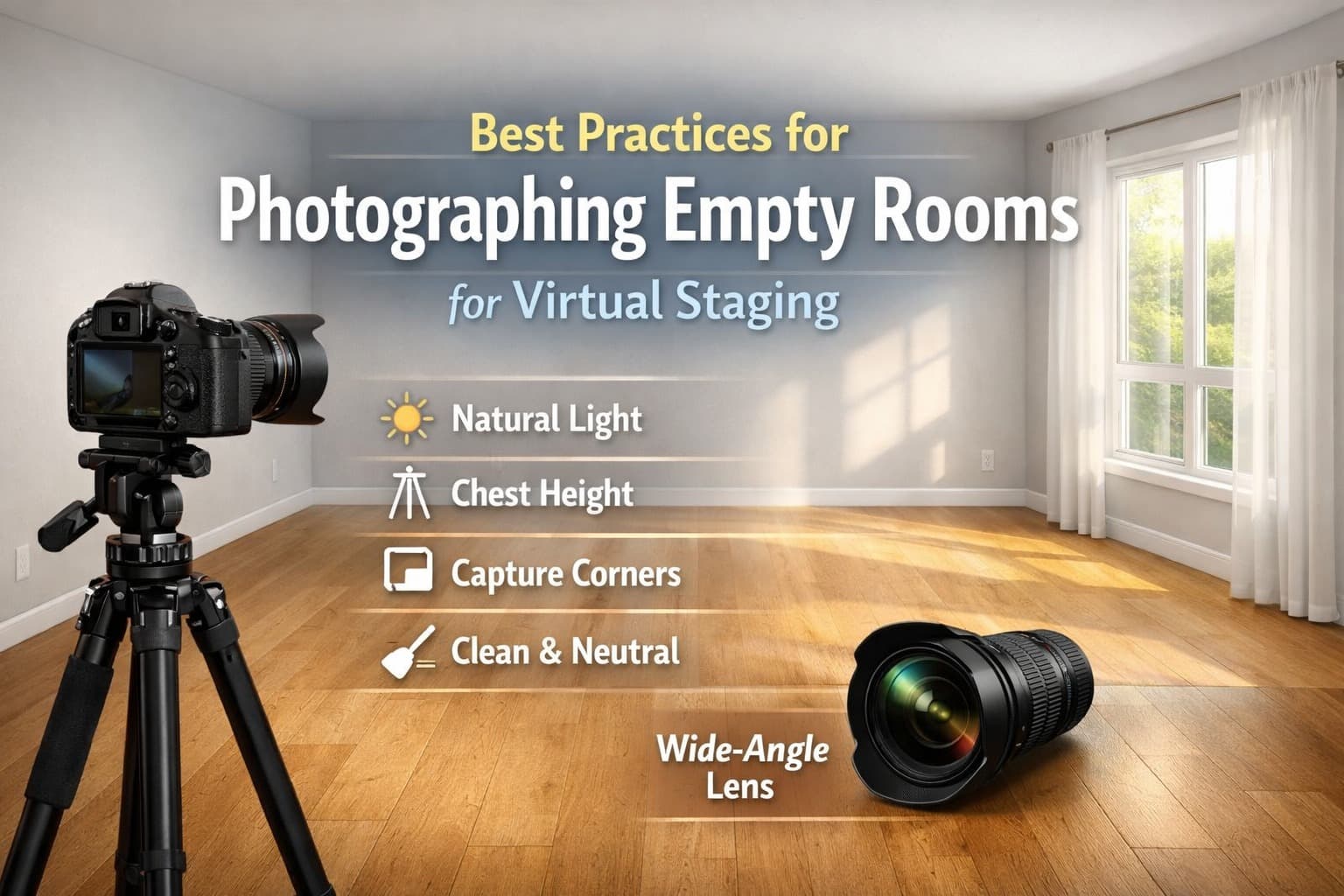
Best Practices for Photographing Empty Rooms for Virtual Staging
The Photos You Take Today Determine How Good Your Staging Looks Tomorrow
It's tempting to think photos of an empty room don't need much care. "It's empty, what does it matter?" But here's the brutal truth: if your photos are poor, your virtual staging will be poor too. Period.
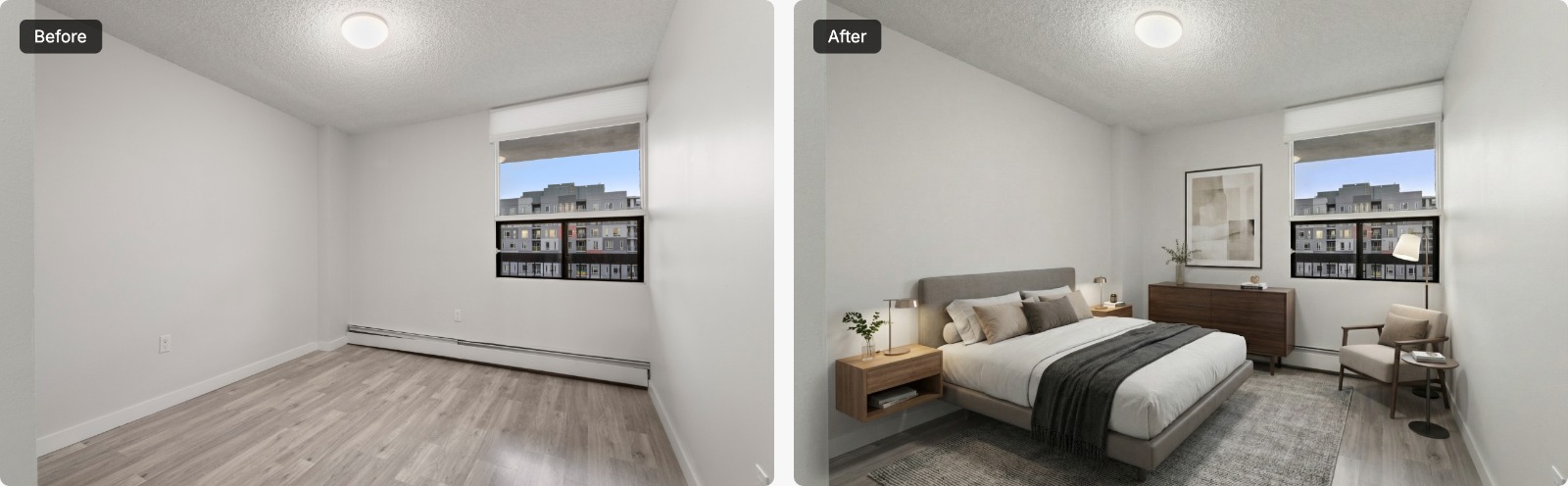
No staging artist or AI tool, however good, can fully fix bad lighting, weird angles, or photos that make a spacious room look like a closet. Garbage in, garbage out.
The good news? Taking great photos for virtual staging isn't rocket science. You don't need a $5,000 camera or a degree in photography. But you do need to understand a few key principles and avoid the common mistakes that waste everyone's time and money.
So let's talk about how to actually photograph empty rooms in a way that makes virtual staging look incredible.
Start with the Right Equipment (But Don't Overthink It)
First things first: you don't need professional camera gear to get decent photos for virtual staging. Great staging can come from a well-shot iPhone photo, and poor staging can come from a carelessly shot $3,000 DSLR image. The equipment matters, but it's not everything.
That said, here's what actually helps:
A decent camera with a wide-angle lens is your best friend. Whether that's a DSLR, mirrorless camera, or a newer smartphone, you need to capture the whole room without making it look distorted. On most phones the standard wide lens is the safest choice; save the ultra-wide for very small rooms (more on that below).
A tripod is non-negotiable. Seriously. Handheld shots for virtual staging are almost always a disaster. The angles get weird, things aren't level, and you can't keep your perspective consistent across multiple shots. Get a tripod. Even a cheap one is better than nothing.
And here's something people don't think about: you need to shoot at the right height. For most rooms, that's about 4–5 feet off the ground, roughly chest height. This mimics how people actually see a space when they walk in. Too low and everything looks towering and imposing. Too high and the room feels flat and lifeless.
Lighting Can Make or Break Everything
This is where most people go wrong, and honestly, it's the most important part of the whole process.
Natural light is your friend, but only if you know how to use it. The best time to shoot is during the day when you have plenty of natural light coming through the windows. But (and this is crucial) you need to balance that natural light with the room's artificial lighting.
Turn on every single light in the room. Ceiling lights, lamps if they're still there, even lights in adjacent rooms that spill into your shot. It seems strange when it's bright outside, but it makes a real difference. Those lights add warmth and make the space feel inviting. Without them, rooms look cold and flat, especially in photos.
Here's one of the most common mistakes: shooting directly into windows, and everything else goes dark. Windows should be bright, yes, but if your camera is exposing for the bright window and the rest of the room is a dark cave, that's useless for virtual staging. You want balanced exposure where you can see detail in both the bright areas and the shadows.
If your room has harsh shadows or really uneven lighting, you might need to take multiple exposures and blend them (HDR), or just adjust your camera settings to find a middle ground. Whether a person or an AI tool does the staging, it needs to see the actual walls, floors, and architectural details clearly.
And please, don't use on-camera flash. It creates harsh shadows and odd reflections and makes rooms look cold and clinical. Just don't.
Get Your Angles Right
This is where people tend to get creative in all the wrong ways.
Shoot from the corners or doorways of rooms; these angles show the maximum amount of space and give the best sense of the room's dimensions. Standing in the middle of a room and spinning around taking photos rarely gives you usable shots for staging.
Keep your camera level. Seriously. If your walls are tilting or your floor looks like it's at an angle, the virtual staging will look like furniture is sliding off into the abyss. Use your tripod's level (most have one), or use the grid lines on your camera/phone to make sure your vertical and horizontal lines are actually vertical and horizontal.
Don't go crazy with the wide-angle. Yes, you want to capture the whole room, but if you use too wide of a lens, you get massive distortion. Walls curve, rooms look weirdly stretched, and it becomes a nightmare to stage furniture that looks realistic. A focal length of 16-24mm (on a full-frame camera) is usually the sweet spot. On a phone, the regular wide-angle is usually fine; just don't use the ultra-wide unless the room is really tiny.
And here's something most people don't think about: shoot multiple angles of the same room. Different views of a living room, bedroom, or kitchen give the staging artist options and help buyers see the space from different perspectives. One photo per room is lazy and limits your marketing potential.
Show the Room's True Size and Shape
Empty rooms can be deceiving. They often look smaller in photos than they do in person. Your job is to capture the space accurately so buyers can get a real sense of the room's potential.
Shoot from as far back as you can while still being in the room. This means corners and doorways, as mentioned above. The more of the room you can fit in the frame, the better buyers can understand the space.
Include architectural details that give scale. Doors, windows, built-ins, fireplaces: these elements help people understand the room's proportions. A room with no reference points looks like it could be any size.
Make sure you're capturing the ceiling if possible, especially if the room has high ceilings or interesting details like crown molding or exposed beams. This adds to the sense of spaciousness and gives the staging artist more to work with.
Don't shoot through doorways in a way that cuts off parts of the room. If you're going to include a doorway in your shot, make sure it's not blocking significant portions of the space. Otherwise, shoot from inside the room itself.
Pay Attention to What's Actually in the Frame
Even though the room is empty, there's probably still stuff that shouldn't be in your photos.
Remove everything you can. Trash, cleaning supplies, random tools, tape on the walls, old paint cans: get all of it out of the shot. Yes, the virtual staging artist can remove some things digitally, but why make their job harder and more expensive?
Check for scuff marks, wall damage, or stains that stand out. Major stuff will need to be edited out, which takes time and costs money. If you can quickly clean or touch up something before shooting, do it. A little prep goes a long way.
Close closet doors, cabinets, and other storage spaces unless you're specifically trying to showcase that storage. Open closets in an empty room just look messy and distract from the space itself.
And this might sound obvious, but make sure there are no people, pets, or reflections of you in the shot. A reflection of the photographer in a window or mirror is one of the most common reasons photos need to be reshot. Check your frame carefully before you click.
Technical Settings That Actually Matter
If you're using a real camera (not a phone), here are the settings you should care about:
Keep your ISO as low as possible to minimize noise. Usually 100-400 is fine if you have decent light. Higher ISO makes photos grainy, which looks bad in virtual staging.
Use a smaller aperture (higher f-stop number) like f/8 to f/11. This gives you a deeper depth of field, meaning more of the room stays in focus. You want everything sharp, not just one wall while the rest is blurry.
Adjust your shutter speed based on your lighting. This is where the tripod becomes essential: if your shutter speed is slow because of low light, you need that stability to avoid blurry photos.
Shoot in RAW format if your camera allows it. RAW files give you way more flexibility to adjust exposure, white balance, and other settings later. This can save a bad photo or make a good photo great.
For phones, just use the native camera app in Photo mode, make sure HDR is on, and tap to focus on the middle of the room before shooting. Most modern phones do a pretty good job automatically.
White Balance Is More Important Than You Think
Here's something that separates amateur photos from professional ones: accurate colors.
If your photos have a weird yellow tint from indoor lights or a blue tint from too much natural light, the virtually staged furniture will look off. Colors won't match. The whole thing looks artificial.
Set your white balance based on your lighting situation. If you're shooting in daylight, use daylight white balance. If you've got mixed lighting (windows plus indoor lights), you might need to experiment or shoot in auto and adjust later in editing.
If you're shooting in RAW, you can fix white balance pretty easily in post-processing. If you're shooting JPEG (or on a phone), try to get it right in camera because you have less flexibility to fix it later.
The walls, floors, and ceiling should look natural, not too warm, not too cool. If you're unsure, take a few test shots with different white balance settings and compare them.
Don't Forget About the Details
Good virtual staging looks realistic because it accounts for things like shadows, light direction, and perspective. Help your staging artist (or tool) out by giving it the information it needs.
Note which direction the windows face and what time of day you shot. This affects how shadows should fall on staged furniture. Morning light from east-facing windows creates different shadows than afternoon light from west-facing windows. (AI staging tools read this directly from the photo, which is another reason balanced, natural light matters.)
Take photos of any unique architectural features from multiple angles. Fireplaces, built-in shelving, bay windows, exposed brick: the staging artist needs to understand these elements fully to integrate furniture realistically around them.
If there's existing lighting (ceiling fixtures, recessed lights), capture those clearly. The staged furniture will need to interact with that lighting, so the artist needs to see where lights are positioned.
And shoot in landscape orientation, not portrait. Virtual staging almost always works better with horizontal photos because that's how people view listings online. Vertical photos crop weird and limit your staging options.
Common Mistakes That Waste Everyone's Time
Here's what not to do.
Don't shoot rooms that are still full of furniture and expect a traditional staging artist to clean it all out digitally first. That's photo editing, not staging, and it usually costs extra. Empty the room first if you can. If you can't, an AI furniture removal tool can clear the room in seconds before you restage it.
Don't send blurry photos and hope they'll work. They won't. Reshoot. Blurry photos are useless for virtual staging.
Don't shoot with tons of clutter in the frame and say "just edit it out." A little editing is expected, but if the room is full of garbage, you're just wasting money on editing time instead of cleaning for ten minutes.
Don't use weird filters or heavy editing before sending photos. The staging artist needs to see the true colors and lighting of the space. Your artistic filter might look cool, but it makes their job impossible.
And don't shoot in dim lighting and expect it to work out. If the room is too dark, your photos will be grainy and unusable. Wait for better light or bring in more light sources.
Shoot More Than You Think You Need
Here's a pro tip: take way more photos than you think you'll use.
Shoot each room from multiple angles. Corner to corner, doorway views, different heights if the room is awkward. You never know which angle will show the space best until you review them later.
Bracket your exposures if you're unsure about lighting. Take one photo at the "correct" exposure, one slightly darker, and one slightly brighter. This gives you options and can save you if one didn't turn out quite right.
Get wide shots of the whole room and closer shots of specific features. Both are useful for different purposes: full-room shots for virtual staging, detail shots for highlighting special features in your listing.
Storage is cheap. Your time going back to reshoot is expensive. Take the extra photos.
Review Before You Leave
This seems obvious, but forgetting a whole room or missing a crucial angle is one of the most common (and most avoidable) problems.
Before you pack up, review your photos on a bigger screen if possible. Zoom in to check sharpness, look for any issues you might have missed, and make sure you got all the angles you need.
Check that your verticals are actually vertical and your horizontals are level. Tilted photos are one of the most common issues and they're so easy to fix by just recomposing and shooting again.
Make sure you have enough light in every shot. Dark corners or murky areas won't stage well. If something looks too dark in your review, add light or adjust your settings and reshoot.
And count your rooms. Did you get every space you need staged? Kitchen, living room, all bedrooms, bathrooms if applicable? Double-check your shot list before you leave. Not sure which rooms are worth staging? See how many rooms to virtually stage.
A Quick Word on Editing
Light editing is fine and often necessary. Adjusting exposure, straightening horizons, tweaking white balance: that's all normal and expected.
But don't go crazy. Don't oversaturate colors, don't sharpen to the point of creating halos, don't dramatically alter the look of the space. The staging artist needs to work with reality, not your heavily filtered version of it.
If you're doing HDR blending (combining multiple exposures), make sure it looks natural. Over-processed HDR looks terrible and makes virtual staging harder because the lighting already looks fake.
Think of editing as correction, not transformation. You're fixing technical issues, not reimagining the space.
The Bottom Line: Help Your Staging Artist Help You
At the end of the day, photographing empty rooms for virtual staging is a collaboration between you and whoever (or whatever) stages those photos, whether that's a designer or an AI-powered virtual staging tool.
Good photos make their job easier, faster, and cheaper for you. They can focus on creating beautiful, realistic staging instead of fighting with bad lighting, weird angles, or trying to figure out what your room actually looks like.
Bad photos? They either can't be staged well at all, or they need extra fixing first, and the final result still won't look as good as it could have.
So take the extra ten minutes to get your setup right. Use a tripod, turn on all the lights, shoot from good angles, and make sure everything is level and in focus. Your future self will thank you. When you're ready, try staging your photos; your first image is free.
Because at the end of all this, the goal isn't just to have virtually staged photos. The goal is to have virtually staged photos that look so good, buyers can't scroll past them. Photos that make them stop, lean in, and think "I need to see this house."
And that all starts with the empty room photos you take today.
Now go shoot some rooms that actually sell.