2D to 3D floor plans
Turn flat floor plans into furnished 3D.
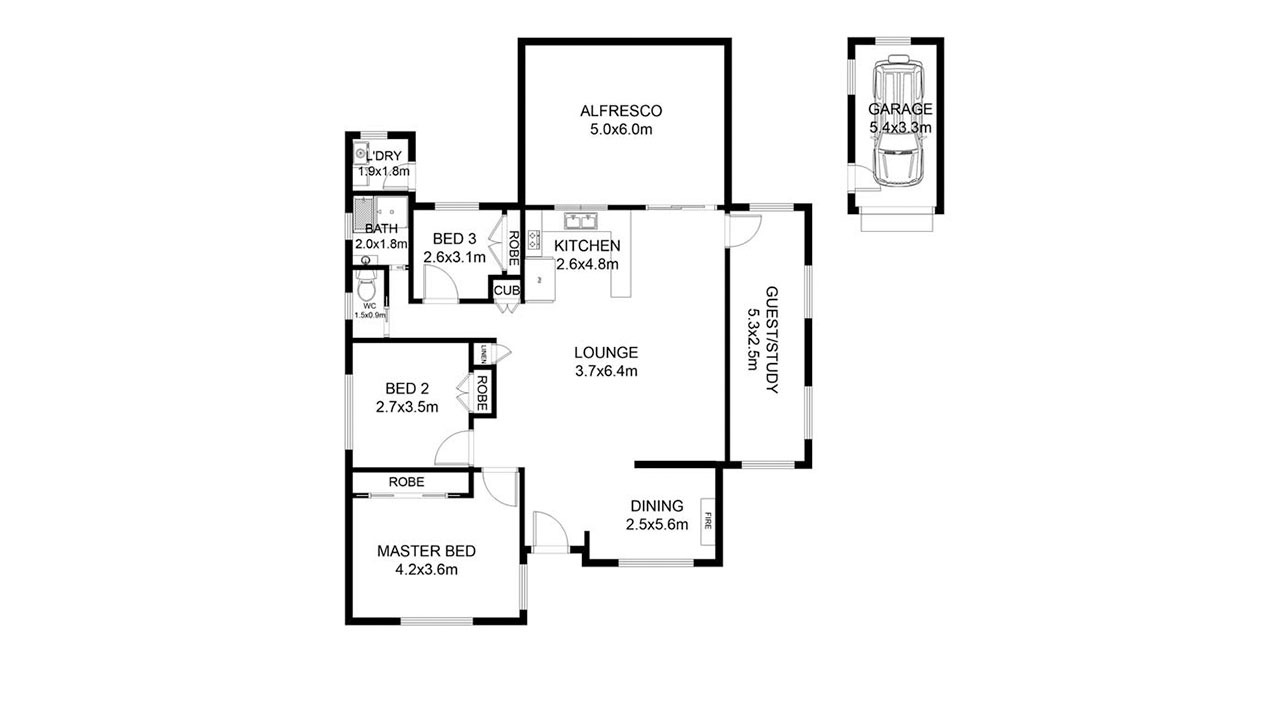
Most buyers struggle to read a 2D floor plan. Upload yours and get a furnished, top-down 3D render that shows layout, flow, and scale at a glance, in about 20–30 seconds.
First image free · About 20–30 seconds · From $0.99 per image
What it is
A floor plan buyers can actually read.
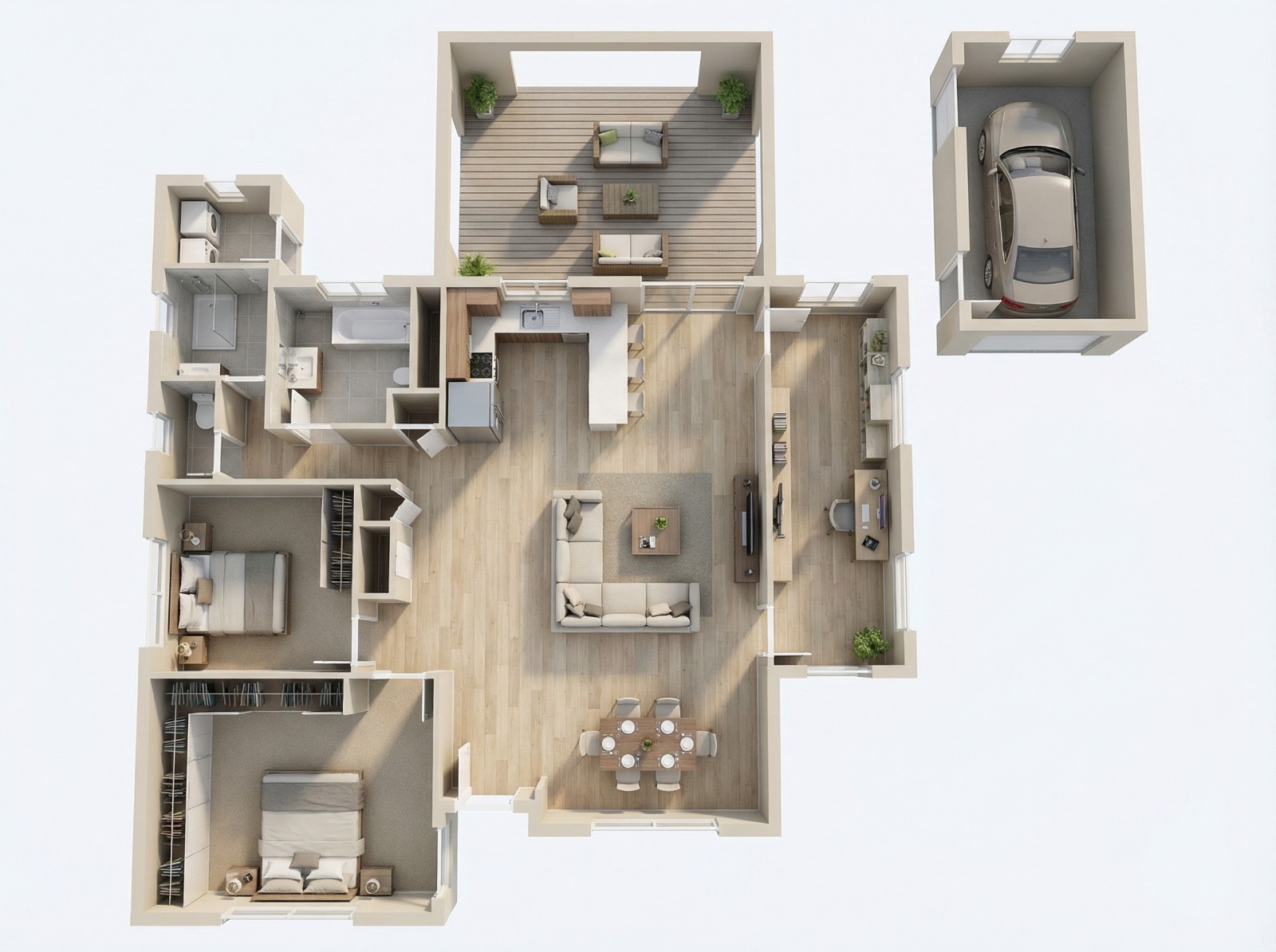
A 3D floor plan shows a home from above as if the roof were lifted off, with walls, flooring, and furniture in place. It makes room sizes and the flow between spaces easy to understand.
Our AI reads your 2D plan, including walls, doors, windows, and room labels, and generates a furnished 3D render from it. It's a visual aid for listings and marketing, not a replacement for architectural drawings, so always check it against the original plan.
Commonly used for
Why it matters
Help buyers picture the whole home.
Instantly understandable
Furniture and finishes give buyers a sense of scale that lines on a page can't.
Works before photos exist
Market new construction and off-plan homes with a visual of every floor.
No 3D artist required
Skip custom rendering quotes and back-and-forth for everyday listing visuals.
How it works
Three steps, about 20–30 seconds.
- 01
Upload your 2D plan
A clean digital plan or a clear scan in JPG, PNG, or WEBP.
- 02
Add optional instructions
Ask for specific flooring, furniture style, or colors.
- 03
Download the 3D render
Use it alongside your photos, in brochures, or on your website.
Compared
Quick listing visuals without a rendering budget.
| 2D to 3D Floor Plan Converter | 3D rendering artist | Plain 2D floor plan | |
|---|---|---|---|
| Turnaround | About 20–30 seconds | Days, with revisions | Ready, but hard to read |
| Cost | From $0.99 per render | Custom quote per plan | No extra cost |
| Furniture & scale | Added automatically | Fully custom | None |
| Best for | Fast listing visuals | Precise architectural renders | Technical reference |
Best results
Getting an accurate render.
Use a clean, high-resolution plan
Clear lines and legible labels give the AI the most to work with.
Label every room
Labels like "Kitchen" and "Bedroom" guide which furniture is placed where.
One floor at a time
Upload each level separately for the clearest results.
Check it against the original
Compare the render with your 2D plan before publishing, and keep the original plan in the listing too.
FAQ
Questions, answered.
The AI analyzes your 2D floor plan to identify walls, windows, doors, and room types, then generates a 3D visualization with realistic textures and furniture.
No. The tool uses room labels like "Kitchen" or "Bedroom" to place suitable furniture automatically. You can add instructions for style or colors.
Most floor plans are ready in about 20–30 seconds, compared with days for traditional 3D rendering.
Clean, clearly labeled plans give the best results. Neat hand-drawn sketches with clear walls and room labels can work, but a digital plan or a clear scan is more reliable.
It follows the layout of your plan, but it's a marketing visualization rather than a measured drawing. Always check it against the original plan and keep official dimensions in the listing.
Your first image is free. After that, one-time credit packs cost $19 for 10 images, $49 for 30, or $99 for 100 ($0.99–$1.90 per image), and the same credits work across every tool. No subscription, and credits never expire.
Give every listing a floor plan buyers understand.
Upload a photo and see the result in about 20–30 seconds. Your first image is free.
Convert a floor planRelated: Virtual staging for home builders · AI virtual staging guide