AI day to dusk
Twilight hero shots, without the twilight shoot.
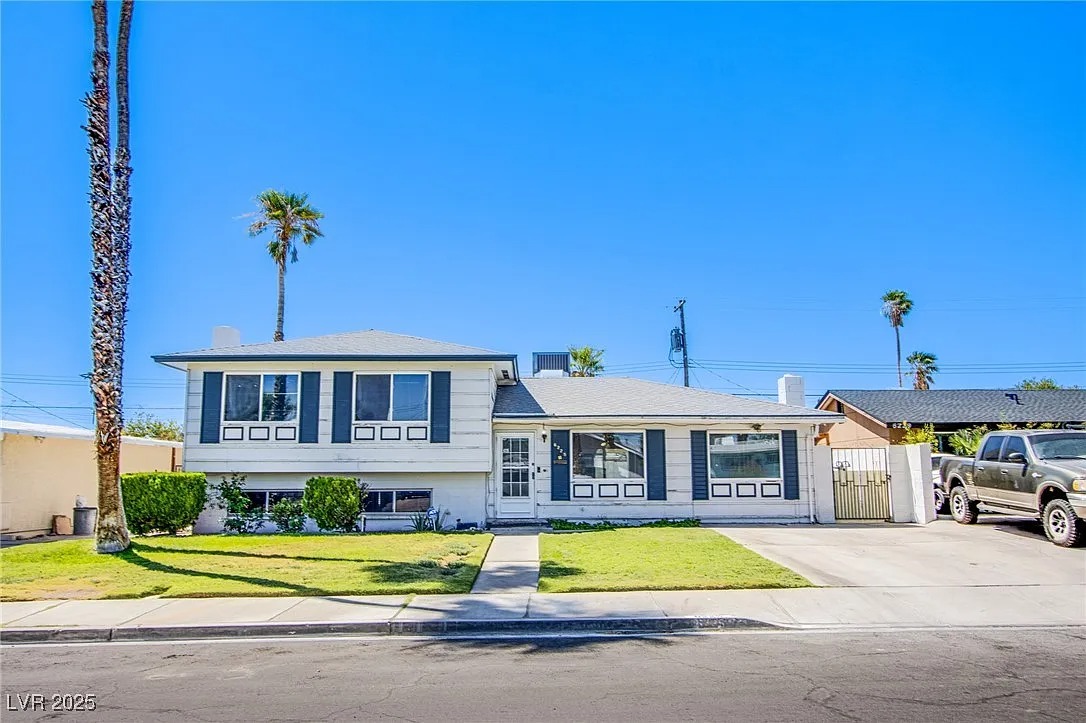
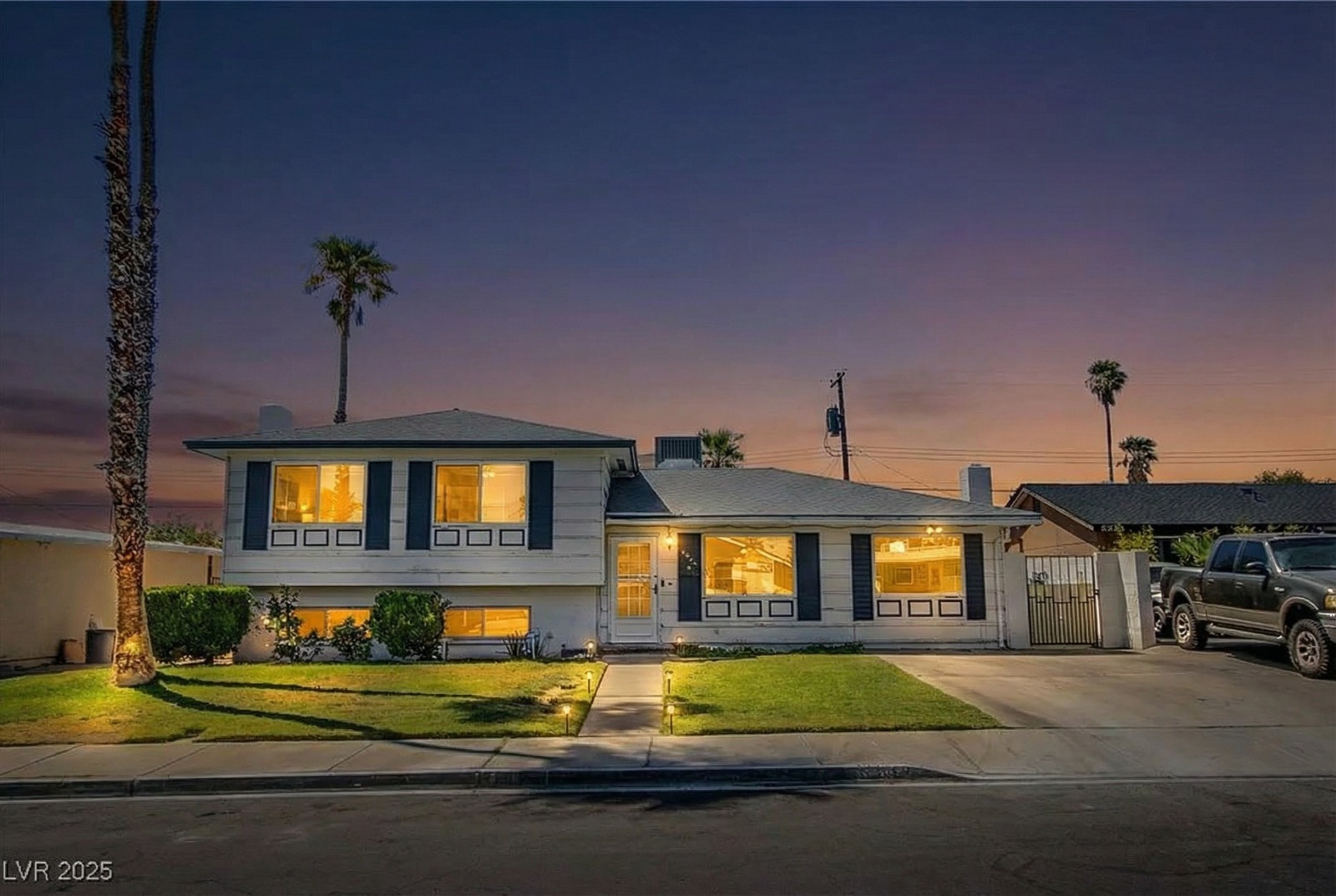
Turn any daytime exterior into a warm dusk image with a glowing sky and lit windows. No waiting for the perfect evening, no second photo visit, and results in about 20 seconds.
First image free · About 20 seconds · From $0.99 per image
What it is
Virtual twilight, explained.
Day-to-dusk (or virtual twilight) editing turns a photo taken in daylight into one that looks like it was shot just after sunset: a dusk sky, warm light glowing from the windows, and softer exterior lighting.
Twilight images stand out in a feed of bright daytime exteriors, which is why they're often used as the main listing photo. Our AI does the conversion in about 20 seconds while keeping the house itself as photographed.
Commonly used for
Why it matters
The most eye-catching photo in the listing.
Stand out in search results
A twilight hero image breaks up a grid of daytime exteriors and draws the eye.
No timing or weather risk
Real dusk shoots depend on a short window and a cooperative sky. Any daytime photo works here.
A fraction of the cost
Human twilight editing is typically priced per image; AI conversion starts at $0.99.
How it works
Three steps, about 20 seconds.
- 01
Upload a daytime exterior
A clear front or back exterior photo works best.
- 02
AI relights the scene
The sky becomes dusk, windows glow, and lighting warms to match.
- 03
Download your hero shot
Download in 2K or 4K for your listing, ads, and print.
Compared
Every twilight shot, none of the scheduling.
| AI Day to Dusk | Human twilight editing | Real twilight shoot | |
|---|---|---|---|
| Turnaround | About 20 seconds | Often a day or more | Needs a separate dusk visit |
| Cost | From $0.99 per image | Typically $15–$50 per image | An extra photographer visit |
| Weather | Any daytime photo | Any daytime photo | Depends on the evening sky |
| Scheduling | None | None | A short window after sunset |
Best results
Getting a natural twilight.
Use a clean exterior shot
A straight-on, well-exposed photo of the front of the home converts best.
Show the windows
Visible windows give the AI more places to add a warm interior glow.
Use it once or twice per listing
One or two twilight images make the strongest impact; keep the rest of the set in daylight.
Disclose the edit
A twilight conversion changes how the property looks, so disclose it where your MLS or state requires.
FAQ
Questions, answered.
Yes. The AI replaces gray, overcast skies with a twilight sky and adjusts the lighting on the home to match.
Yes. Clear, well-exposed exterior photos from a smartphone or a DSLR both work. The house itself stays as photographed while the sky and lighting change to twilight.
The AI relights the scene to match a dusk sky, with warm window glow and softer exterior lighting, so results look natural rather than like a filter. As with any edited listing photo, disclose it where your MLS requires.
No. The AI identifies the windows and adds a warm interior glow automatically.
Your first image is free. After that, one-time credit packs cost $19 for 10 images, $49 for 30, or $99 for 100 ($0.99–$1.90 per image), and the same credits work across every tool. No subscription, and credits never expire.
Light up your next listing.
Upload a photo and see the result in about 20 seconds. Your first image is free.
Convert a photoRelated: Day-to-dusk editing guide · How buyers scroll listings