Best AI Virtual Staging Tools in 2026: Pricing & Features Compared
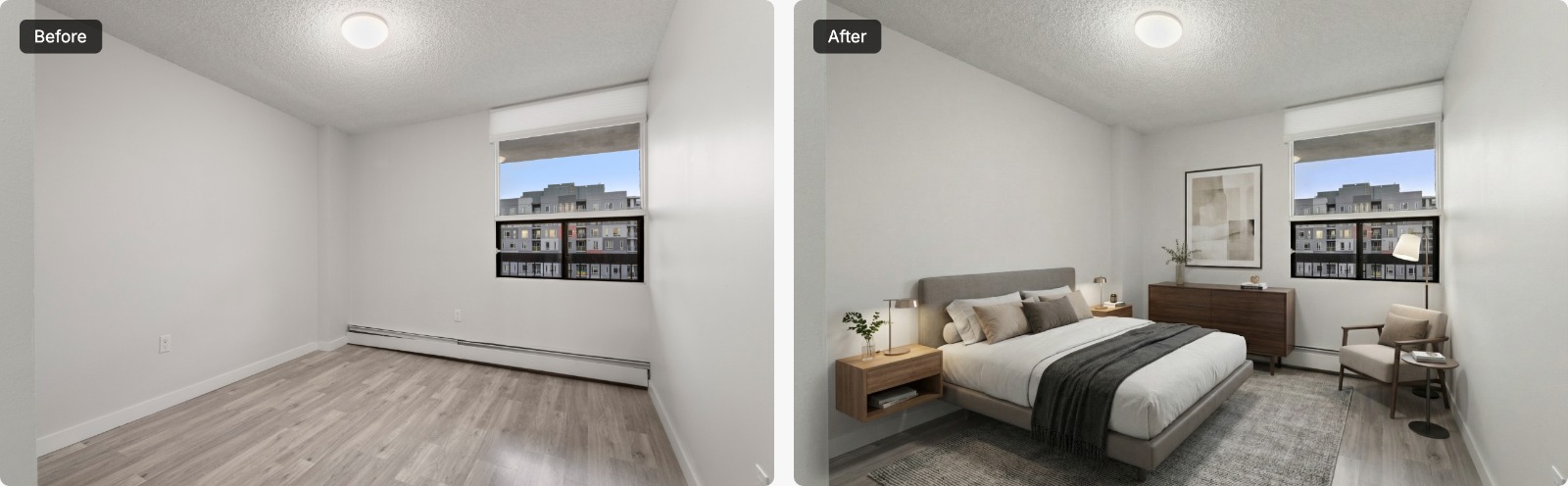
AI virtual staging tools all promise photorealistic rooms in seconds, but they differ a lot in how you pay, what each photo really costs, and what else they can do. Here's a side-by-side look at the main options in 2026.
Full disclosure: we make AI Virtual Staging, one of the tools on this list. We've tried to keep this comparison factual: every price below comes from each company's own pricing page, checked on October 11, 2026. Prices change often, so confirm on their sites before you buy.

Quick Comparison
| Tool | Pricing model | Cost per photo | Free option | Best for |
|---|---|---|---|---|
| AI Virtual Staging | One-time credit packs | $0.99–$1.90 | First image free | Agents who want low per-photo cost with no subscription |
| Virtual Staging AI | Monthly or yearly subscription | $0.53–$2.67 | No free trial listed | Steady monthly volume and unlimited re-renders |
| Collov AI | Monthly or yearly subscription | about $0.24–$0.33 | Watermarked free trial | High volume and the widest feature set |
| ReimagineHome | Monthly subscription (credits) | varies by plan | 5 free designs, no card | Conversational, design-led editing |
| Refined Listings | One-time credit packs, pay per download | $10–$16 | Free to stage; pay to download | Premium look and trying before paying |
| BoxBrownie | Pay per image (ordered service) | $30 | n/a | Agents who prefer an ordered editing service |
Pricing checked on October 11, 2026 from each company's pricing page. Cost per photo is the plan price divided by included photos or credits.
How We Compared Them
- Pricing model: one-time credits, monthly subscription, or pay per image. This matters as much as the headline price if your listing volume goes up and down.
- Real cost per photo: the plan price divided by the photos it includes.
- Free option: whether you can try it on your own photo before paying.
- Extras: furniture removal, twilight conversion, floor plans, and editing features that save you a second vendor.
1. AI Virtual Staging
Our tool. You buy one-time credit packs (10 images for $19, 30 for $49, or 100 for $99), so the cost works out to $0.99–$1.90 per photo with no subscription, and credits never expire. New accounts get one free image. Staging takes about 20 seconds per photo in nine interior styles at 2K or 4K, and the same credits work for furniture removal, day-to-dusk, and 2D-to-3D floor plans. You can also add a subtle “Virtually Staged” disclosure label to downloads for free.
Limitations, honestly: each regeneration uses a credit, there's no multi-angle consistency across photos of the same room yet, and you can't edit a result conversationally after it's generated; you add instructions before generating instead.
Best for: agents with uneven listing volume who want a low cost per photo without a monthly commitment.
2. Virtual Staging AI
A subscription service with plans from $16 to $79 per month (6 to 150 photos), which works out to about $0.53–$2.67 per photo, billed monthly or yearly. Plans include unlimited renders and downloads, furniture removal, and a 10-second turnaround. No free trial of the staging itself is listed on its pricing page.
Best for: agents who stage a steady number of photos every month and want unlimited re-renders.
3. Collov AI
Collov offers the broadest feature set of the AI tools here. Plans run from $19 to $127 per month for 60 to 526 photo credits (roughly $0.24–$0.33 per photo), and usage resets monthly. Beyond staging, higher tiers add multi-angle staging, chat-based editing, photo enhancements like twilight and lawn replacement, and virtual tours. A watermarked free trial is available.
Best for: high-volume teams that will use the extra features every month.
4. ReimagineHome
ReimagineHome leans into design: higher tiers add a conversational design flow, reference photos, and real-product suggestions. Plans range from $14 to $99 per month with 30 to 900 monthly credits; the pricing page lists the range but not each plan's exact price. New users get five free designs without a card.
Best for: users who want to iterate on a design through conversation.
5. Refined Listings
Refined Listings positions itself at the premium end. Staging, restaging, and edits are free; you pay only when you download a full-resolution image, using one-time packs of 5, 15, or 30 downloads for $80, $180, or $300 ($10–$16 per photo). Credits never expire, unused credits are refundable for 7 days, and it highlights multi-angle staging and natural-language edits.
Best for: agents who want to try freely before paying and are comfortable with a higher per-photo price.
6. BoxBrownie
BoxBrownie is an established real estate photo-editing service that lists virtual staging at $30 per image ($60 for 360° images). It works as an order-based editing service rather than an instant self-serve tool, so check its current turnaround times before you order.
Best for: agents who prefer ordering from an editing service over doing it themselves.
How to Choose
- Count your photos per month. Steady, high volume favors a subscription; uneven volume favors one-time credits that don't expire.
- Test on your own photo. Use the free option each tool offers and compare the same room side by side. Look closely at scale, shadows, and whether walls and windows stay exactly as photographed.
- Check the extras you'll actually use. Furniture removal and twilight edits can replace a second vendor.
- Plan for disclosure. Whatever tool you choose, label staged photos where your MLS or state requires it. See Is Virtual Staging Legal?
Our Take
There's no single best tool for everyone. If you stage a lot of photos every month, a subscription like Virtual Staging AI or Collov can be the cheapest per photo. If you want a premium look and to try before paying, Refined Listings is worth a look. If you want a low price per photo without a subscription, that's what we built AI Virtual Staging for, and your first image is free, so you can compare it against the others on your own listing photos.
For a broader look at costs, including traditional staging, read our virtual vs. traditional staging cost breakdown.