Virtual Staging Disclosure Examples: Copy-and-Paste Templates
Everyone agrees virtually staged photos should be disclosed. Far fewer people agree on what to actually write. This page gives you ready-to-use wording for every place a staged photo appears, so you can disclose clearly and get back to marketing the listing.
A quick note before the templates: this is practical guidance, not legal advice. Disclosure rules come from your MLS, your state (for example California's AB 723), and, if you're a REALTOR®, Article 12 of the NAR Code of Ethics, which requires a true picture in advertising. Rules change, so check your local requirements, and see our guide Is Virtual Staging Legal? for the background.

Where to Disclose Virtual Staging
The safest approach is to disclose everywhere a staged photo appears, because buyers rarely see your listing in just one place:
- On the image itself: a small, legible label that travels with the photo wherever it's shared.
- In the photo caption: most MLS systems and listing sites let you caption individual photos.
- In the listing remarks: a sentence that says which photos are staged.
- On social posts, flyers, and emails: anywhere the photo is reused.
- At the property: a short note at showings and open houses.
1. Photo Labels (On the Image)
Keep on-image labels short and legible. They should be readable on a phone without dominating the photo; a small label in a corner works well.
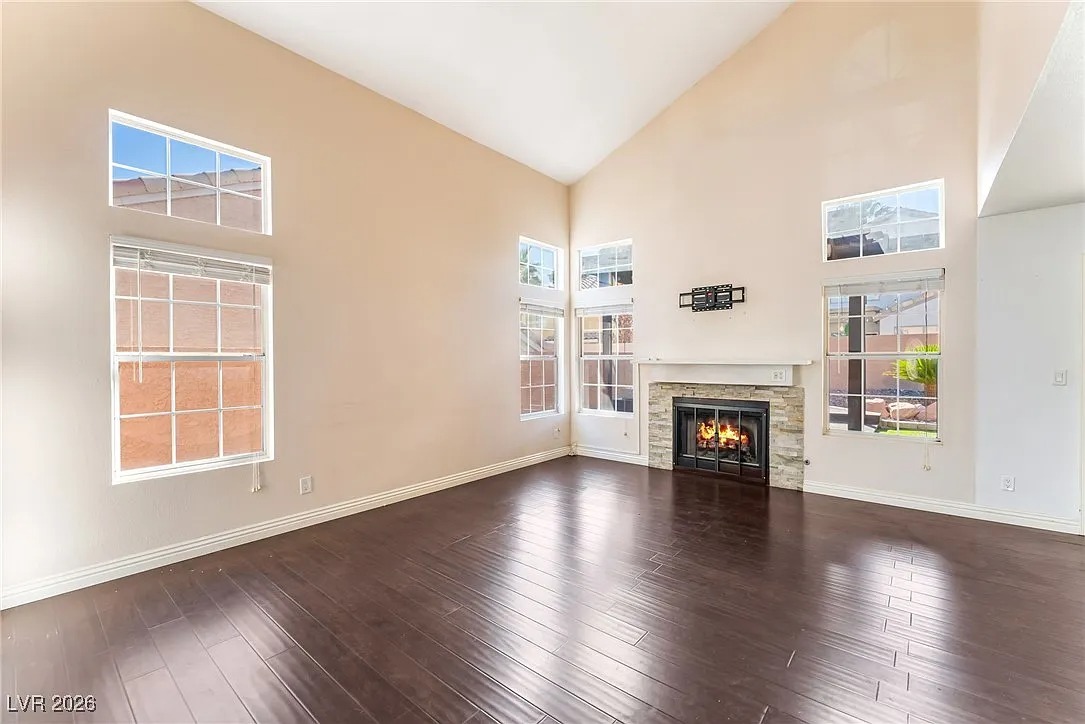
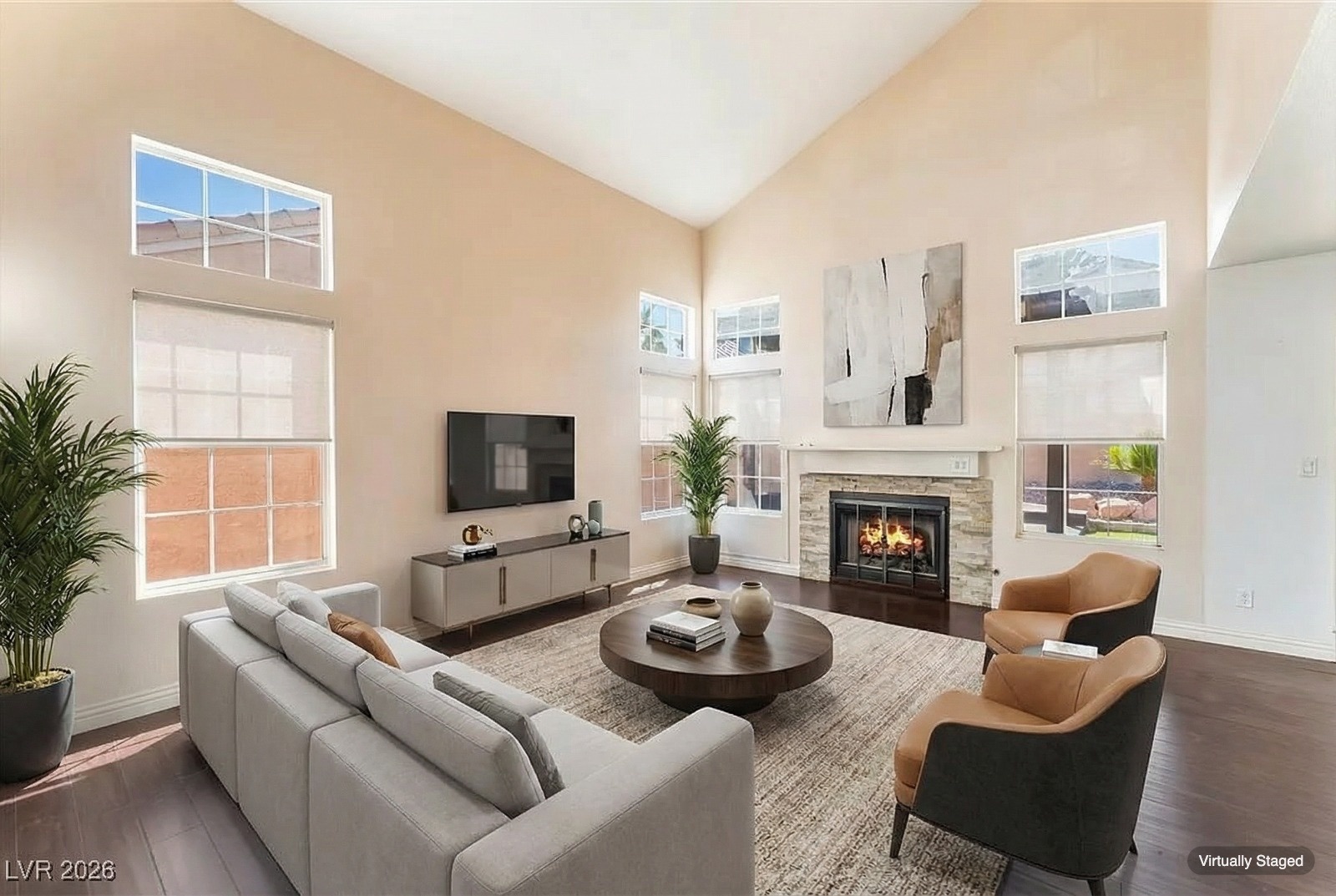
If you stage with AI Virtual Staging, you can add this “Virtually Staged” label to your downloads with one click, at no extra cost. That's exactly how the example above was made.
2. Photo Captions
3. Listing Remarks
Add one clear sentence to the public remarks. Naming the staged rooms is more transparent than a vague blanket statement.
4. California AB 723 Notice
California's AB 723, in effect since January 1, 2026, requires agents who advertise with a digitally altered image, including a virtually staged one, to include a reasonably conspicuous statement on or next to the image that it has been altered, plus a link, URL, or QR code where the original, unaltered image can be viewed. A notice along these lines covers both parts:
Host the unaltered photos somewhere stable, such as a page on your website, a shared album, or the listing's photo gallery, and link to it from every altered image. In print, a QR code next to the image works well. Routine edits such as lighting, color correction, white balance, straightening, and cropping that don't change the condition of the property aren't treated as digital alterations under the law. Check the current statute and your brokerage's guidance for the exact requirements.
5. Social Media, Flyers, and Emails
6. At Showings and Open Houses
Buyers who fall in love with staged photos shouldn't be surprised by empty rooms. A short note at the entrance sets expectations:
Which Edits Need Disclosure?
Not every edit is a disclosure issue. The rule of thumb: if the edit changes how the property itself looks, disclose it.
| Edit | Disclose? | Why |
|---|---|---|
| Virtual staging (adding furniture and décor) | Yes | Changes how the room appears |
| Furniture removal | Yes | Shows the room differently than it is |
| Day-to-dusk or sky replacement | Yes, typically | Changes how the exterior appears |
| Virtual renovation (new floors, paint, cabinets) | Yes, prominently | Shows features the home doesn't have |
| Exposure, color, white balance, sharpening | Generally no | Routine edits; excluded under AB 723 |
| Straightening, perspective, cropping | Generally no | Routine edits; excluded under AB 723 |
What to Avoid
- Vague wording. “Photos enhanced” doesn't tell buyers that furniture was added. Say “virtually staged.”
- Hidden disclosures. Fine print at the bottom of a long description, or a label too small to read on a phone, defeats the purpose.
- Inconsistent disclosure. Labeling photos on the MLS but posting the same images to social media without a note.
- Staging that misrepresents the property. No disclosure fixes edits that change walls, windows, flooring, or room size. Add furniture and décor only (see common virtual staging mistakes).
Disclosure Checklist
- Label every staged or edited image.
- Caption staged photos where your MLS or listing site allows.
- Name the staged rooms in the listing remarks.
- Keep the original photos and share them on request (and link to them if you're in California).
- Add a note to social posts, flyers, and emails that reuse staged photos.
- Put a short sign up at showings and open houses.
- Check your MLS rules and state law at least once a year.
Frequently Asked Questions
Disclose Without the Extra Work
Clear disclosure protects buyers, your clients, and your license, and it doesn't have to be a chore. Bookmark this page for the wording, and when you're ready to stage your next listing, try AI Virtual Staging: your first image is free, and the “Virtually Staged” label is built in.